Getting started with the demo
Find a shop table, inspect its columns and a relationship, then open the application to save your own task map.
SchemaMap 0.14.0 · Updated · The editor uses Russian UI labels, shown as written.
Goal and prerequisites
Find the context around an order table in a few steps. Open the demo in a browser. It uses a synthetic shop structure: 24 tables and 28 foreign keys, without reading real records. This is a separate lightweight viewer; the full editor is available at /app.
Find a table and relationship
- Enter
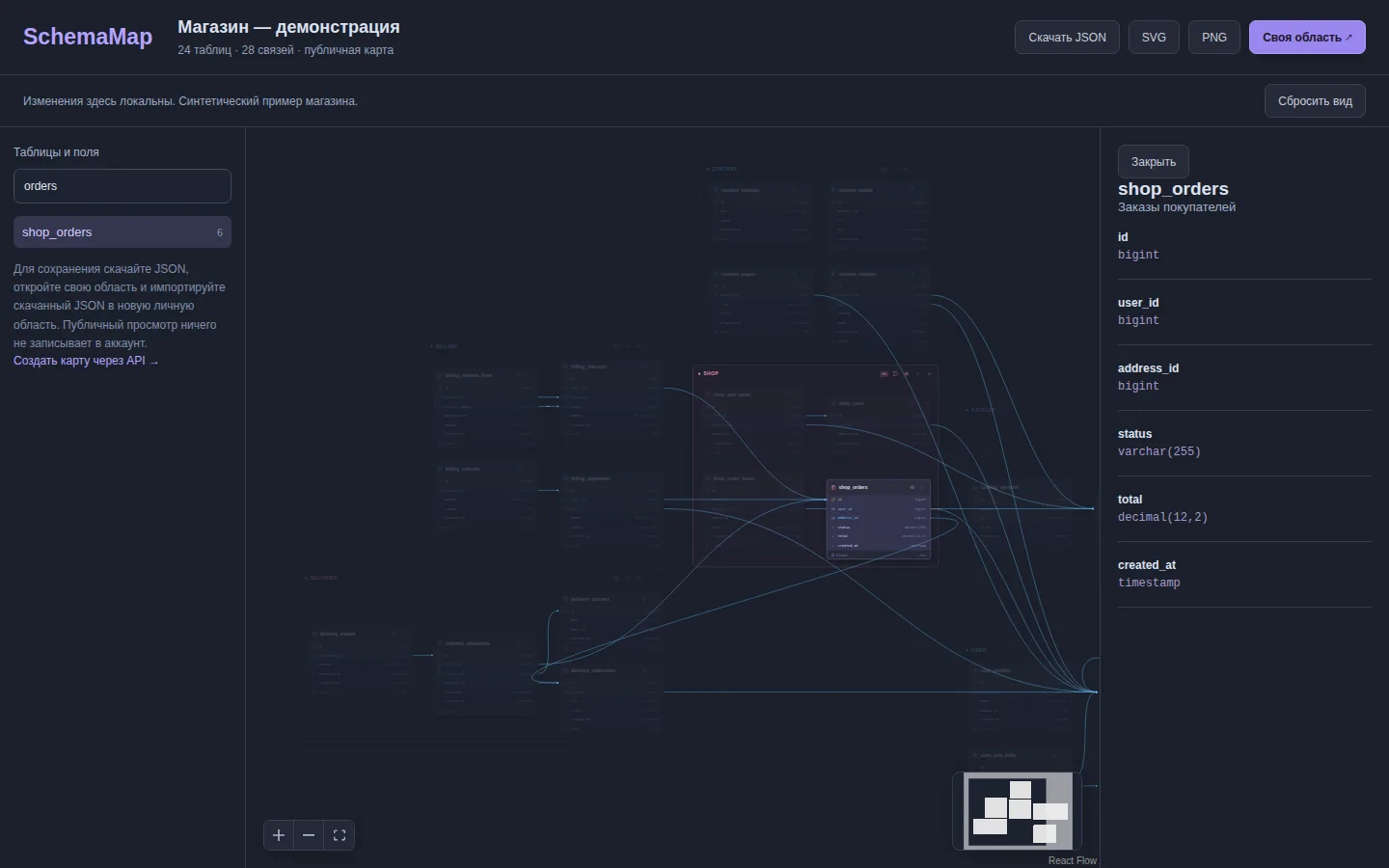
ordersin «Найти таблицу или поле» (Find a table or column). - Select
shop_orders(IDshop.shop_orders). Its columns appear on the right. - Follow an FK line from the order on the map and select its neighbor in the list. Compare column names on the cards.
- Adjust zoom and pan the camera to inspect the relevant fragment.
The result is a source table, its key columns and a related neighbor. Public demo interactions are local to the open page; they do not persist a shared map.
Save your own investigation
Open the application. Guest mode lets you start without registration; Google sign-in associates guest areas with your account. Create a task and sheet, add the relevant tables and write the goal in the task description. Wait for «Сохранено на сервере» (Saved on server). Use an account and JSON export for reliable return. A lost guest session cookie cannot be assumed recoverable.
During network failures the editor keeps a local draft and queue. A version conflict requires reading the server state again; do not overwrite another person’s changes with a stale full document.
Next: Navigate table relationships
Related materials: Navigate table relationships · Areas, tasks, views and sheets